Further optimization - Automating Book Availability Checks
In the post Multi-threading - Automating Book Availability Checks I optimized the time needed to run the book checks.
And now there’s only one step left that consumes more time than the rest and that I can possibly optimize. It’s the chromium installation.
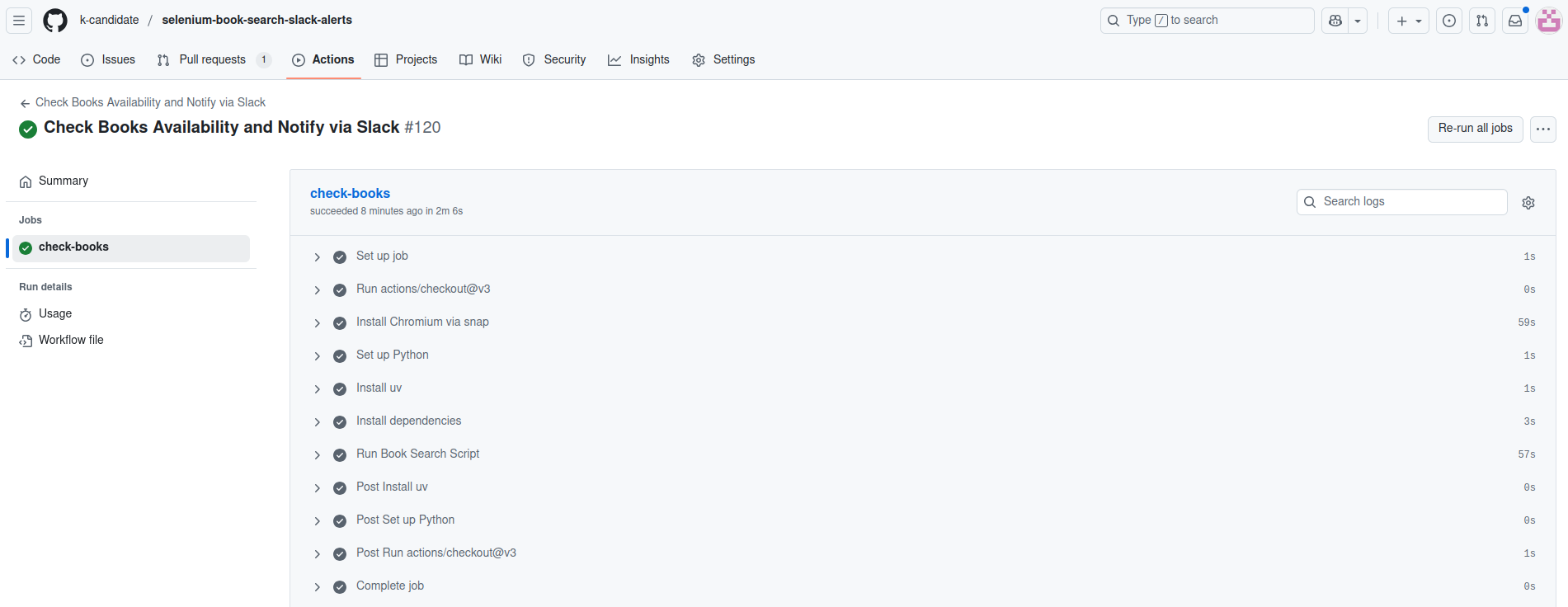
What are my options here:
- Use a Docker image. Maybe valid, but nothing new.
- Move from snap to apt. Use the apt caching I used in https://k-candidate.github.io/2025/10/29/optimizing-docker-cache.html. Maybe valid, but I do not want to do this because I already did it. And more importantly because I do not want to take care of installing the browser and the driver: in snap it’s one package, but in apt they’re 2 separate packages.
- Cache the snaps. I spent some time looking but I found nothing. I looked for some way to cache
/var/lib/snapd/snaps/but in vain. Surprising, but I’ll be on the lookout. - Offload the work to some github action that includes caching. I found https://browser-actions.dev/ which includes https://github.com/browser-actions/setup-chrome. The repo was apparently called “setup-chromium” but they changed it to chrome at some point.
I worked on it in this PR. This exceeded my expectations: the installation went from 59s to 5s. That’s a 92% reduction in time!
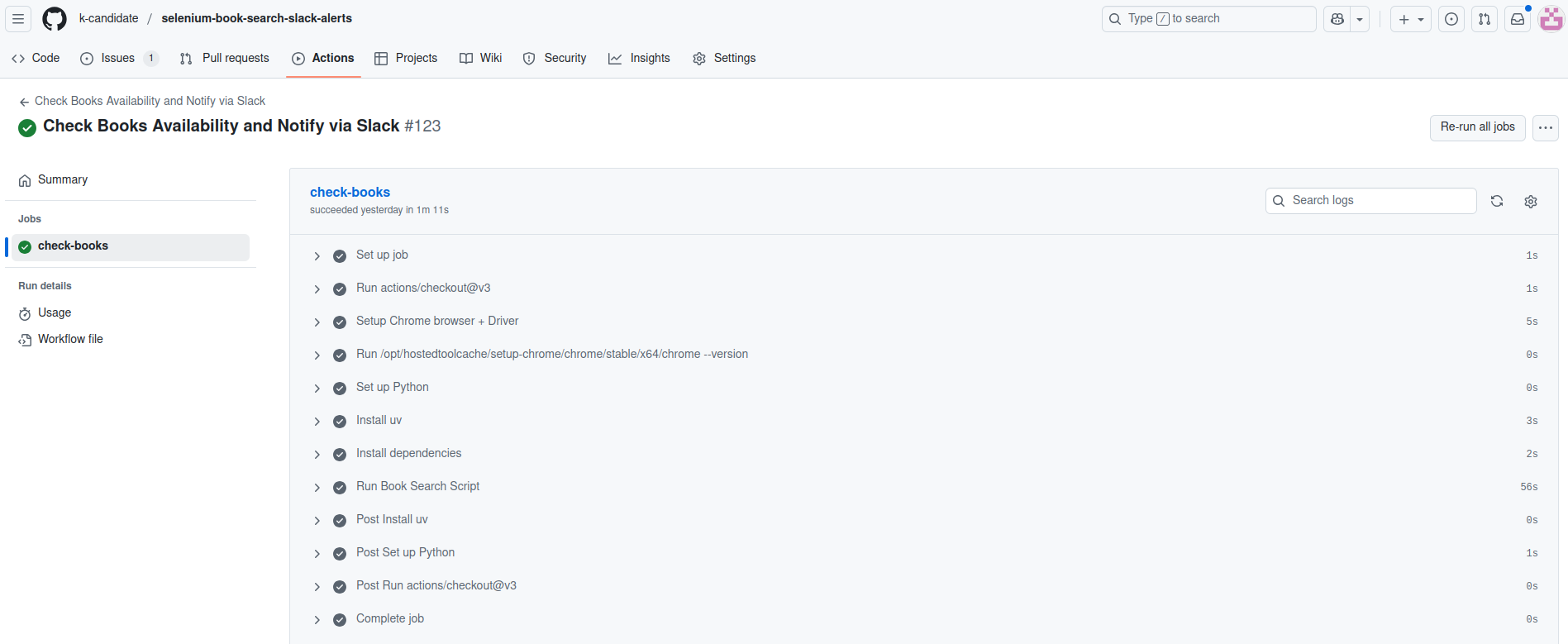
In the end I decided to not merge the PR and instead to close it even though it was working. I had a choice between:
- saving a minute in an action that runs once a day, but have chrome in the gha and chromium locally (laptop).
- keep dev (laptop) and prod (gha) similar, and make future maintenance and testing easier on myself.
I opted for the latter.