Security Vulnerability Fatigue - How to Build and Troubleshoot Minimal Images (including in Prod)
Multi-stage builds are nice. But that’s not enough, because the runtime image can be a vulnerability patching hassle. Even if it’s Alpine: some CVE appears and now you have to make a new image with the latest patched Alpine (assuming that there’s a patch), and then deploy it. Time draining, non value producing, repetitive toil.
Nobody wants that. The objective is to rebuild the image only when we are fixing bugs in our own software or releasing new features in our own software, not in unused stuff that exists in the base image.
Seen from a security perspective: we want to reduce the attack surface.
But how?
If the application is made using a compiled language, then using FROM Scratch is the way to go.
See https://docs.docker.com/build/building/base-images/#create-a-minimal-base-image-using-scratch.
Limitations of Scratch
These might be problematic or not depending on the application:
- CA bundle is missing. The fix is to just put the CA certs in the runtime image by simply copying the
/etc/ssl/certs/from the build stage image to the runtime one. - The directories
/tmp,/var,/home,/rootare missing. If the app uses any of those (e.g to write temporary data in/tmp) then it will not work. The fix here is to simply create the necessary folder in the runtime image. The ugly part here is having to deal with ownership, permissions, sticky bits etc. - No user management. As we said, there’s no
/etc(and therefore nopasswdnorgroupfiles). If we want to run our container as a non-root user, then we have to create thepasswdandgroupfiles. - No time zone. To fix it we would have to copy the
/usr/share/zoneinfodirectory from the build stage image to the runtime image. - No shared libraries. If our application is statically linked, then we’re ok. But what if our executable is dynamically linked? Then we will have to copy the necessary shared libraries in the directories
/lib/and/lib64/of the build stage image
And probably there are more issues. They’re all a consequence of missing files (everything in Linux is a file).. And basically everything is missing.
So what’s the alternative if we do not want to deal with any of this?
Google Container Tools Distroless images
See https://github.com/GoogleContainerTools/distroless
Distroless are minimal images that are close to Scratch but have in place the necessary system files we mentioned earlier.
We have gcr.io/distroless/static which currently points to gcr.io/distroless/static-debian12 (-debian13 exists but it is still in preview).
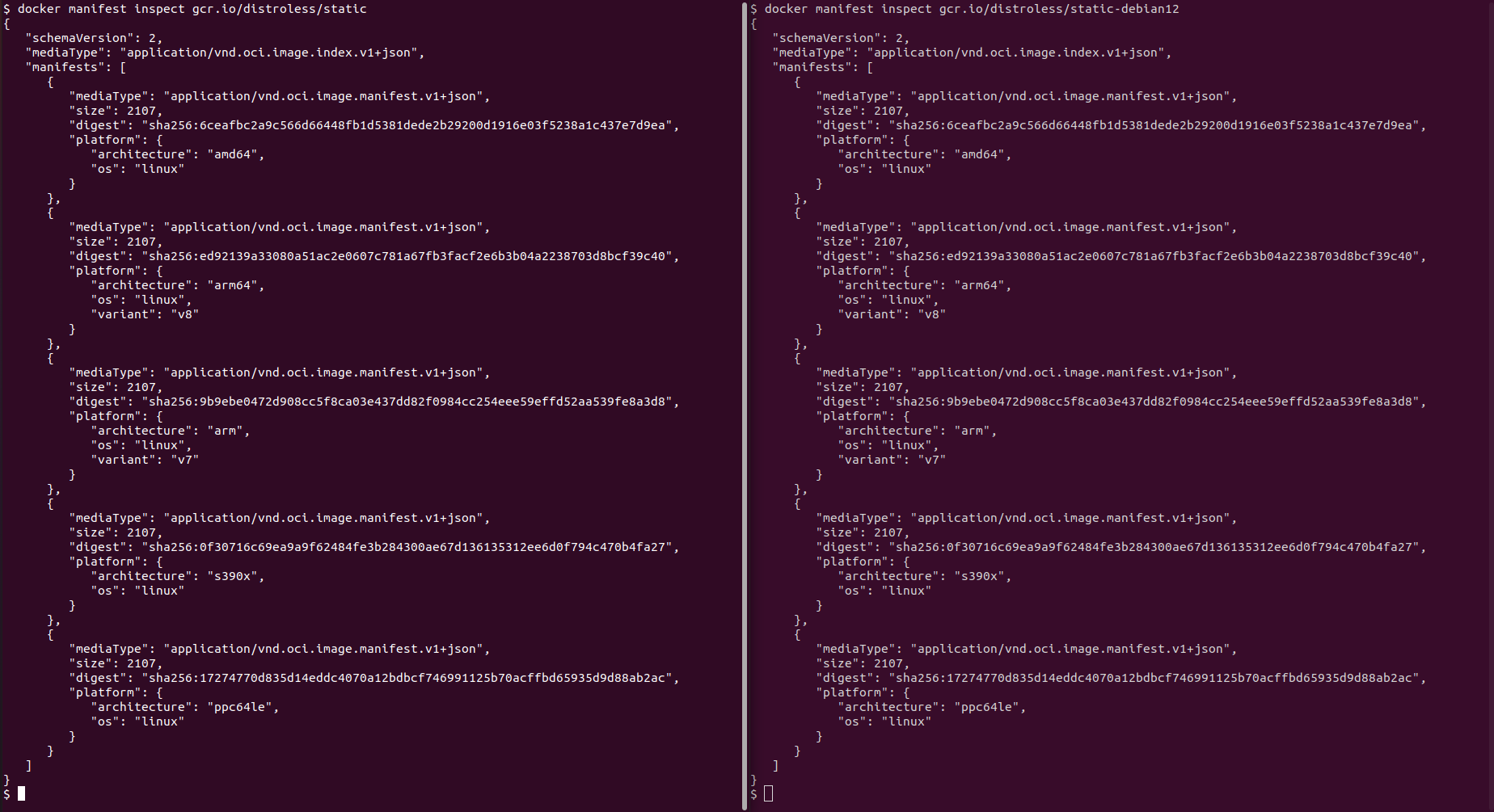
It’s very small.
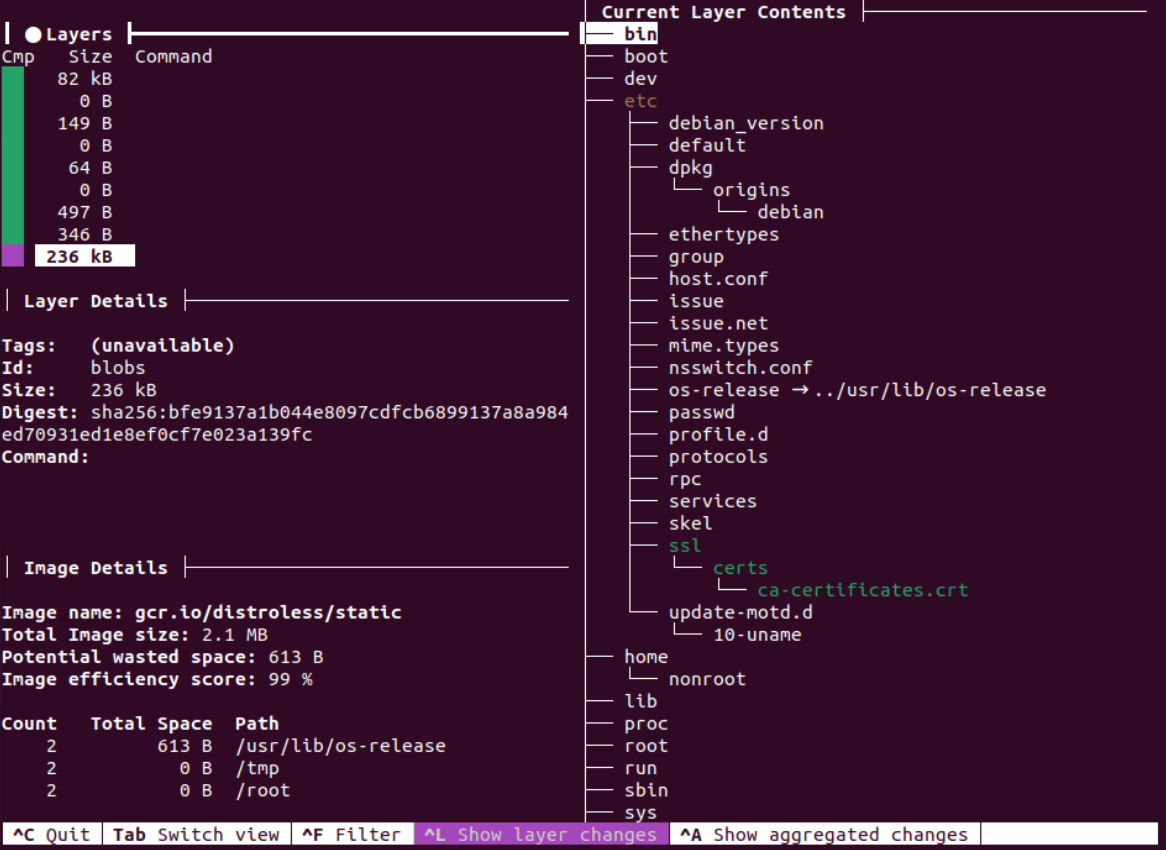
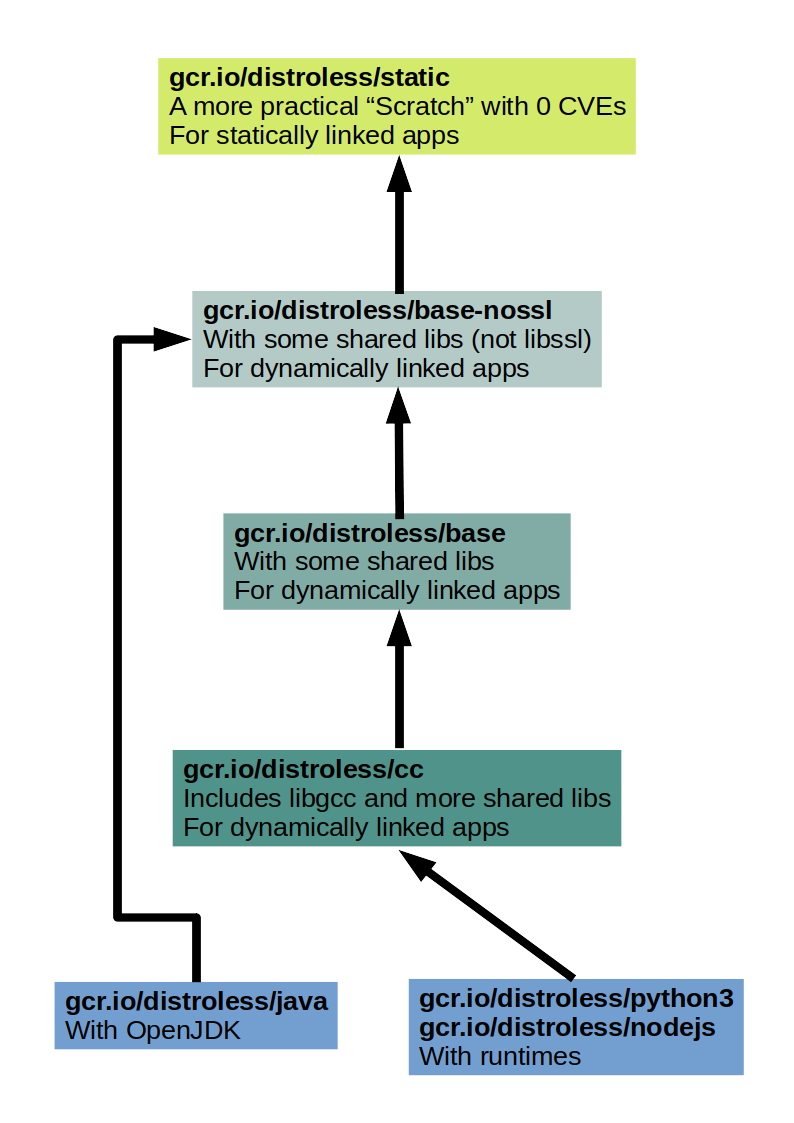
This image is convenient for statically linked apps. It includes the missing things we mentioned earlier, but no packages. Meaning: it is a more practical (easier to handle) twin of Scratch and with still 0 CVEs.
We can explore the contents of the image (layer by layer) using dive: https://github.com/wagoodman/dive
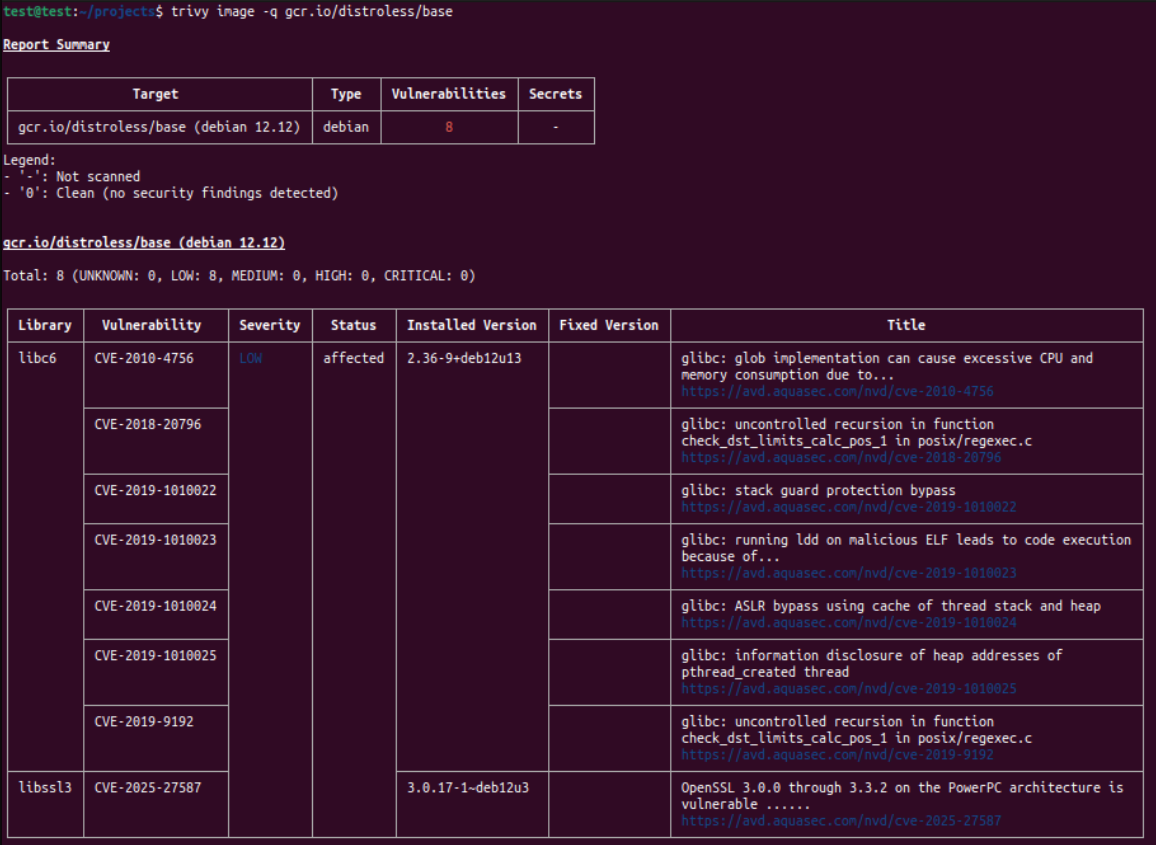
The next level are gcr.io/distroless/base-nossl and gcr.io/distroless/base. They include all the items of the previous level, and some shared libraries which would be needed for dynamically linked executables.
At this level we can start to have CVEs for libc and its friends.
The next level is gcr.io/distroless/cc which includes all the items of the previous level and more shared libraries.
Then there are gcr.io/distroless/java, gcr.io/distroless/nodejs, and gcr.io/distroless/python3.
What if we want to add some specific tool to these images?
We would have to copy them from some other image:
COPY --from=some_other_image /path_to_tool /dest_of_tool
Here’s an example I made for curl: https://github.com/k-candidate/docker-static-curl. Image here: https://hub.docker.com/r/kcandidate/static-curl/tags.
When we install curl via a package manager like apt or apk, it relies on some shared libraries. Hence the need for a static build. See https://curl.se/docs/install.html#static-builds.
curl can be necessary in containers because it is usually used for health checks. See https://docs.aws.amazon.com/AmazonECS/latest/developerguide/healthcheck.html.
Now that we have images without vulns but also without a shell (nor a package manager) running in production, how can we troubleshoot issues?
Troubleshooting Minimal Images while Running
Containers are primarily built on 2 core Linux features: cgroups and namespaces. So we should be able to “take the troubleshooting tools and put them where the target app container is running”.
Let’s make a simple container that starts a web server responding “hello world!”. Here’s the Dockerfile:
FROM golang:alpine AS build
WORKDIR /app

RUN cat << 'EOF' > main.go
package main

import "net/http"

func main() {
	http.HandleFunc("/", func(w http.ResponseWriter, _ *http.Request) {
		w.Write([]byte("hello world!"))
	})
	http.ListenAndServe(":8080", nil)
}
EOF

RUN CGO_ENABLED=0 GOOS=linux go build -a -installsuffix cgo -o server main.go

FROM gcr.io/distroless/static:nonroot
WORKDIR /
COPY --from=build /app/server /
EXPOSE 8080
USER nonroot
CMD ["/server"]
We build it: docker build -t test:test .
We run it: docker run -p 8080:8080 test:test
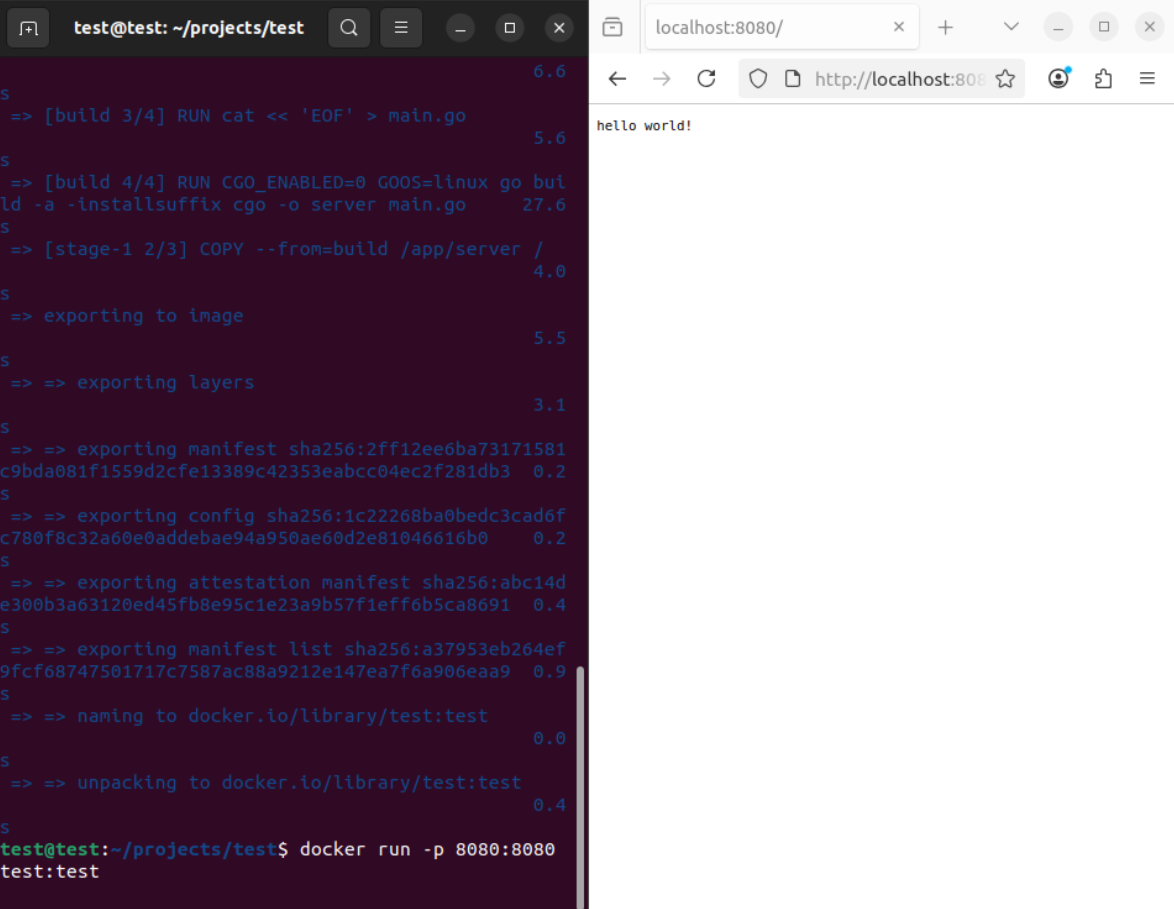
Let’s imagine that there’s some issue with our container and we need to troubleshoot it from the inside while it is running.
We run docker ps to get the name of the container.
Then we run
docker run --rm -it --user=<uid>:<gid> \
  --pid=container:<container_name> \
  --network=container:<container_name> \
  <sidecar_container_image_with_the_tools>
This will spin up a sidecar container that has all the tools we could need to troubleshoot (and a package manager to install more tools if needed).
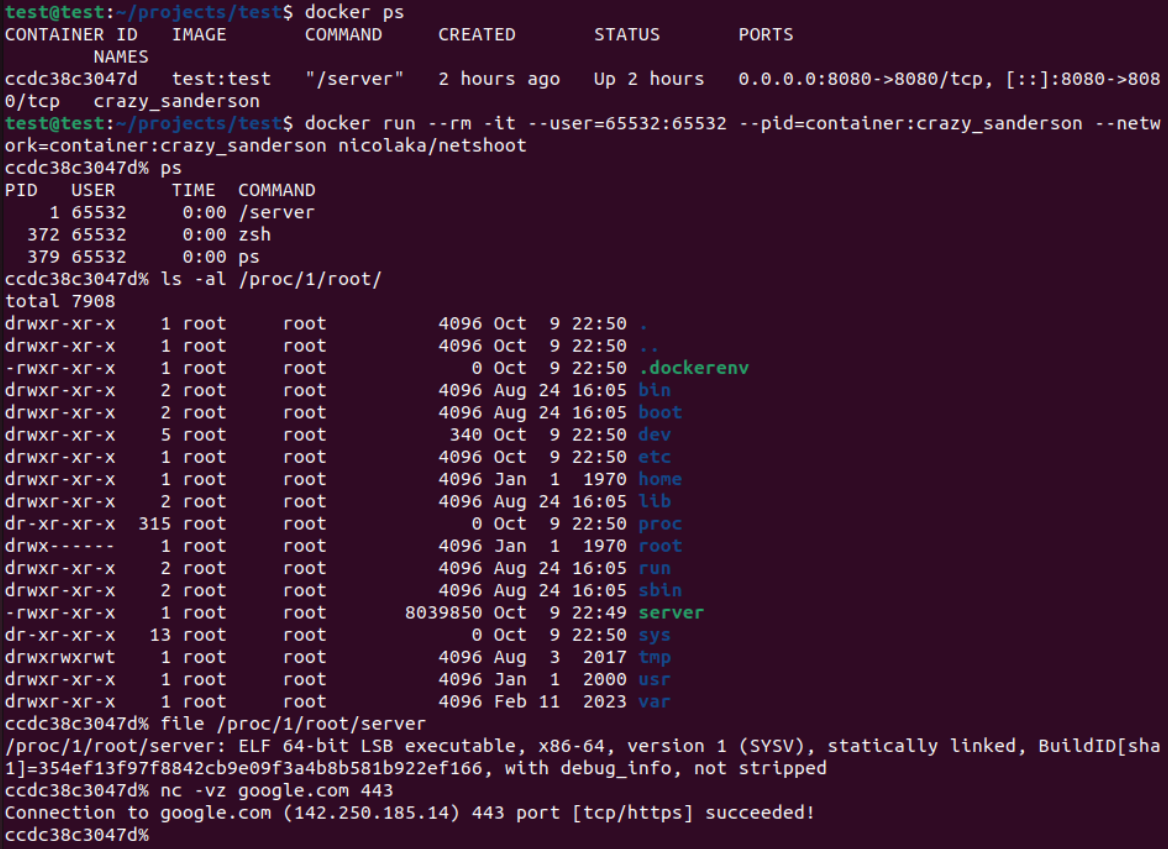
In the screenshot we can see that from the sidecar (the big image with all the tools):
- we are able to see the process of the webserver of the target image (the minimal one)
- we are able to see the directories and files of the target container including the executable we made
- we can use tools to troubleshoot anything (netcat for network troubleshooting as an example)
Notice that I used uid 65532 and gid 65532. Otherwise it would have not worked. Why? Because the basic laws have not been suspended: it’s still Linux. 65532 is the uid and gid of the nonroot user in Google’s Distroless images. Notice in the Dockerfile that I used the nonroot variant (tag) of the image.
Here’s how the Dockerfile will look like with curl and dumb-init:
# Build Go binary
FROM golang:alpine AS build
WORKDIR /app

RUN cat << 'EOF' > main.go
package main

import "net/http"

func main() {
        http.HandleFunc("/", func(w http.ResponseWriter, _ *http.Request) {
                w.Write([]byte("hello world!"))
        })
        http.ListenAndServe(":8080", nil)
}
EOF

RUN CGO_ENABLED=0 GOOS=linux go build -a -installsuffix cgo -o server main.go

# dumb-init binary
FROM alpine AS dumb-init
RUN apk add --no-cache dumb-init

# curl binary
FROM kcandidate/static-curl:latest AS curl

# Distroless as runtime
FROM gcr.io/distroless/static:nonroot
WORKDIR /
COPY --from=build /app/server /
COPY --from=dumb-init /usr/bin/dumb-init /usr/bin/dumb-init
COPY --from=curl /bin/curl /usr/bin/curl

EXPOSE 8080
USER nonroot

ENTRYPOINT ["/usr/bin/dumb-init", "--"]
CMD ["/server"]
We build it using docker build -t test2:test2 ..
We run it using docker run -p 8080:8080 test2:test2.
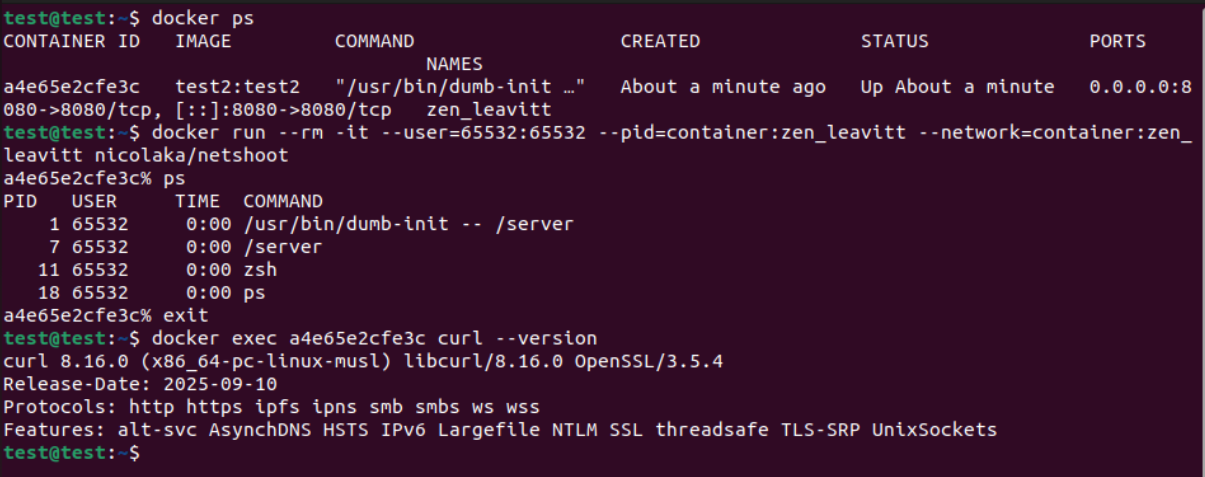
We can see dumb-init now having pid 1, and curl works without having the shared libraries because it is statically compiled. The rest is the same.
We can make a custom sidecar container with the tools we need for troubleshooting: https://github.com/k-candidate/helvetic.
Given that the default uid and gid for our custom sidecar container is 65532 (same as nonroot distroless), we no longer have to specify the --user:
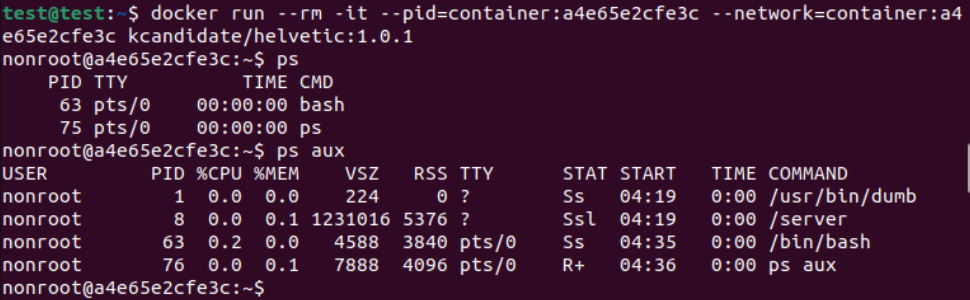
There’s also the possibility to use something like https://github.com/lukaszlach/commando.
What about Kubernetes (k8s)? We can use the exact same approach via Ephemeral Containers. See https://kubernetes.io/docs/concepts/workloads/pods/ephemeral-containers/.
Conclusion
With Distroless images:
- we can troubleshoot
- we have 0 CVEs
- we have a smaller disk footprint (smaller ECR footprint means less cost)
- we have quicker deployments